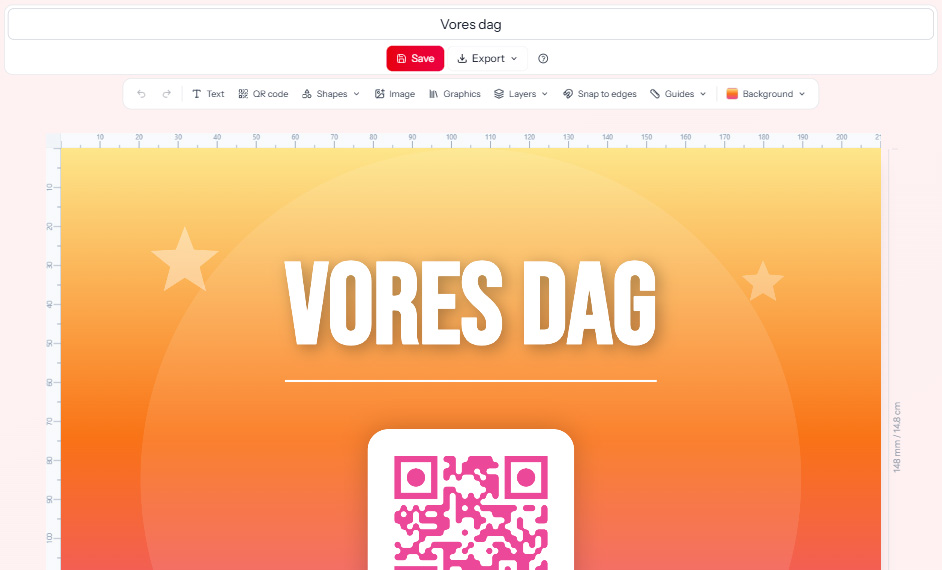
Design beautiful QR cards.
Directly on eazy.photo.
eazyCreator is your own design studio - no installation, no extra subscription. Choose a template, customise it, and print. All in one place.
Your prints. Your style.
With eazyCreator you design your own QR materials directly in the browser. Choose from ready-made templates or start from scratch - and customise everything from colours to text.
The QR code for your event is added automatically. Download as PDF and send to print - or print at home.
How it works
From idea to print in under five minutes.
Open eazyCreator
Go to QR codes on your event and select eazyCreator. Choose a template or start from scratch.
Customise your design
Change colours, text, and layout. Add your own image or logo. The QR code is placed automatically.
Download and print
Save your design and download as PDF. Print at home or send to a print shop.
Everything you need for your prints
From first click to finished print - eazyCreator makes it easy.
Ready-made templates
Choose one of our professionally designed templates and customise it for your event. Ready in minutes.
Full design control
Move, resize, and customise all elements. Choose your own colours and fonts - or start from scratch.
Automatic QR code
Your event's QR code is automatically placed in your design. You don't need to think about it.
All sizes
Table cards, A6, A5, A4 and more. Choose the size that fits your event and print needs.
Upload your own images
Add your own photo or logo to the design. Give it a personal touch that matches your event.
Print-ready PDF
Download your design as a high-resolution PDF - ready to print at home or send to a print shop.
Tip
Want AI to design for you?
With eazyAI you simply describe your style in a message - and the AI generates a QR print for you automatically.
Discover eazyAIReady to design your first QR card?
Create your event for free and open eazyCreator straight away.
Get started free