Smart features for effortless event photo sharing
All you need to capture and share memories from your event - no apps, no friction, and a little AI magic.
The guest experience - simple and instant
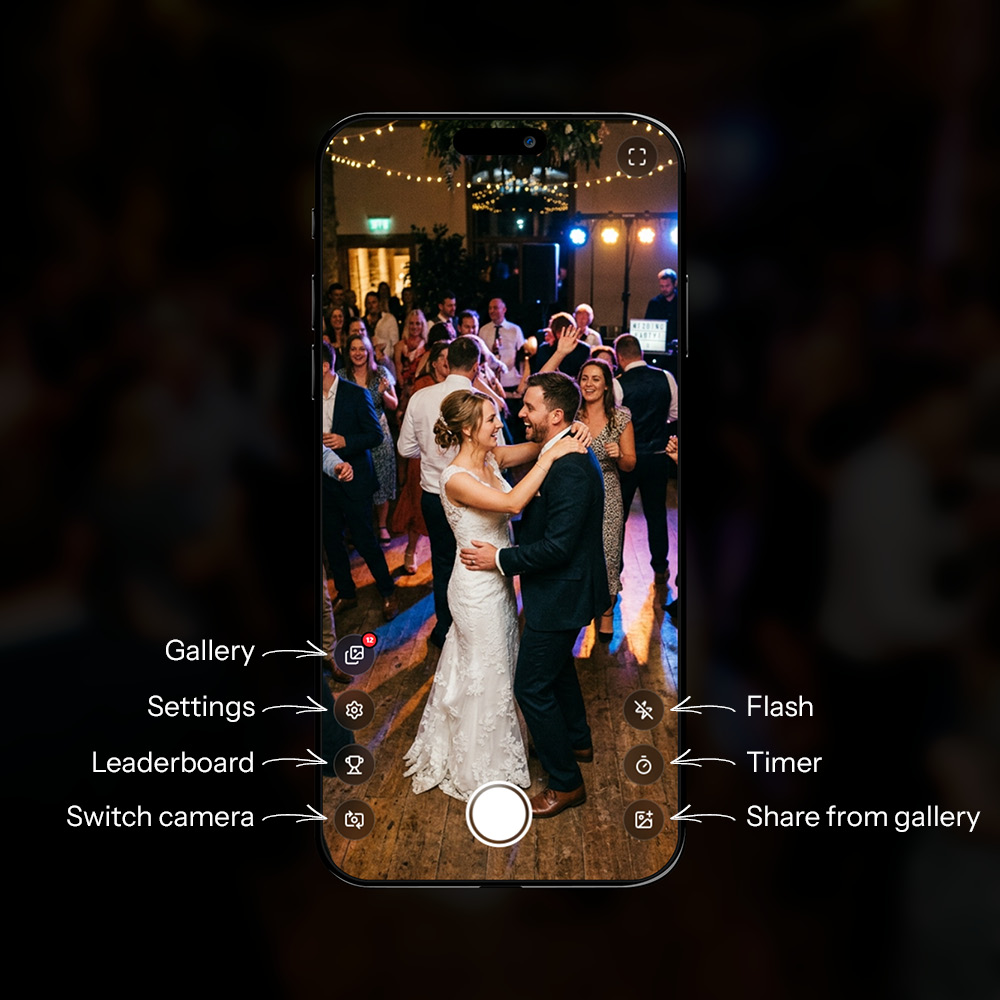
When a guest scans your QR code, a full camera experience opens right in their browser. No app. No sign-up. They're ready in seconds.
No app, no account
Guests just scan the QR code and they're in. Nothing to install, no account to create. The whole experience runs in the browser and works on any phone.
Camera or gallery - your call
By default, guests can take new photos or upload existing ones from their gallery. Want to keep things authentic? You can restrict uploads to camera only, so every photo shared was taken at the event. It's up to you.
Preview and flash
Before a photo is sent, guests see a full preview. A shutter flash confirms the shot and gives it the feel of a real camera.
Videos
Guests can record and share short videos as well as photos. Video uploads can be turned on or off per event.
Guest gallery
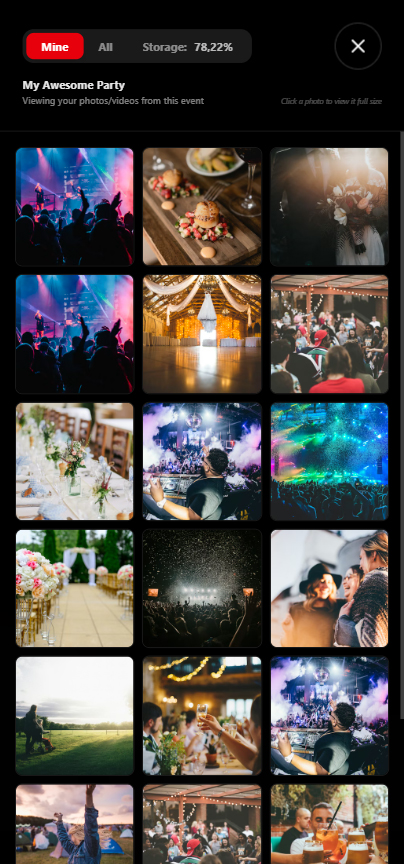
When turned on, guests can browse all the photos and videos from the event in a full-screen gallery. They can view photos in full size and delete their own if they change their mind.
Leaderboard
Turn on the leaderboard and guests can see who's taken the most photos. A fun little touch that keeps people snapping.
Guest name
Guests can optionally add their name so their photos are credited to them in the gallery and on the leaderboard.
Report a photo
If a guest spots something that shouldn't be there, they can report it directly from the gallery. Reports are reviewed by the eazy.photo team and inappropriate or illegal photos can be removed. The whole process is discreet and takes just a few seconds.
Fullscreen
The camera can go fullscreen for a more immersive experience - especially useful on mobile. Guests get a friendly nudge if fullscreen is available on their device.
Photo Greetings
Let guests write a personal greeting to the hosts alongside a photo - right in the event.
Photo and greeting in one
Guests can add a photo greeting when sharing a photo - a personal message to the hosts, tied directly to the photo.
Edit and delete
Guests can always edit or delete their own greeting afterwards, if they change their mind about the wording.
Collect them afterwards
After the event, hosts can download all photo greetings as a neat PDF - or find them in the regular ZIP download.
Make the guest page yours
Choose a colour theme and font that fits your event. It only takes a moment and gives your event a personal touch.
22 colour themes
From romantic Rosé and elegant Champagne to bold Midnight and fresh Jade. There's a theme for every event.
20 fonts
From classic Instrument Sans to flowing Dancing Script and modern Raleway. Find the one that feels right for your event.
Find it under Appearance
You'll find it under "Appearance" in the left menu on your event. The preview updates straight away so you can see it before you save.
Our big day
© 2026 eazy.photo
Live Wall - your event on the big screen
The Live Wall shows event photos in real time on a projected screen or TV. New photos appear automatically as guests upload - no refreshing, no delay. You can also open it via eazy.photo/s/live by entering your live access code.
Updates instantly
Photos appear the moment they're uploaded via live WebSocket connections. The wall looks after itself all evening - no one needs to touch it.
5 display types - pick the look that fits your event
Switch between five different display types, depending on the mood and stage of the night:
Rotating full-screen photos with a calm zoom that keeps the wall alive
A growing photo grid that keeps rolling once it fills up
Photos glide by in an endless stream
One photo in the spotlight at a time, full screen with a soft transition
Nostalgic polaroid photos fading in and out, like a wall of memories
Note: branding is only shown on free events. Upgrade to remove it.
Always up to date
New photos are added to the rotation as they come in. Early in the evening the wall cycles through the first few shots - by the end, the whole collection is in play.
DIY Photo Booth - build your own low-cost setup
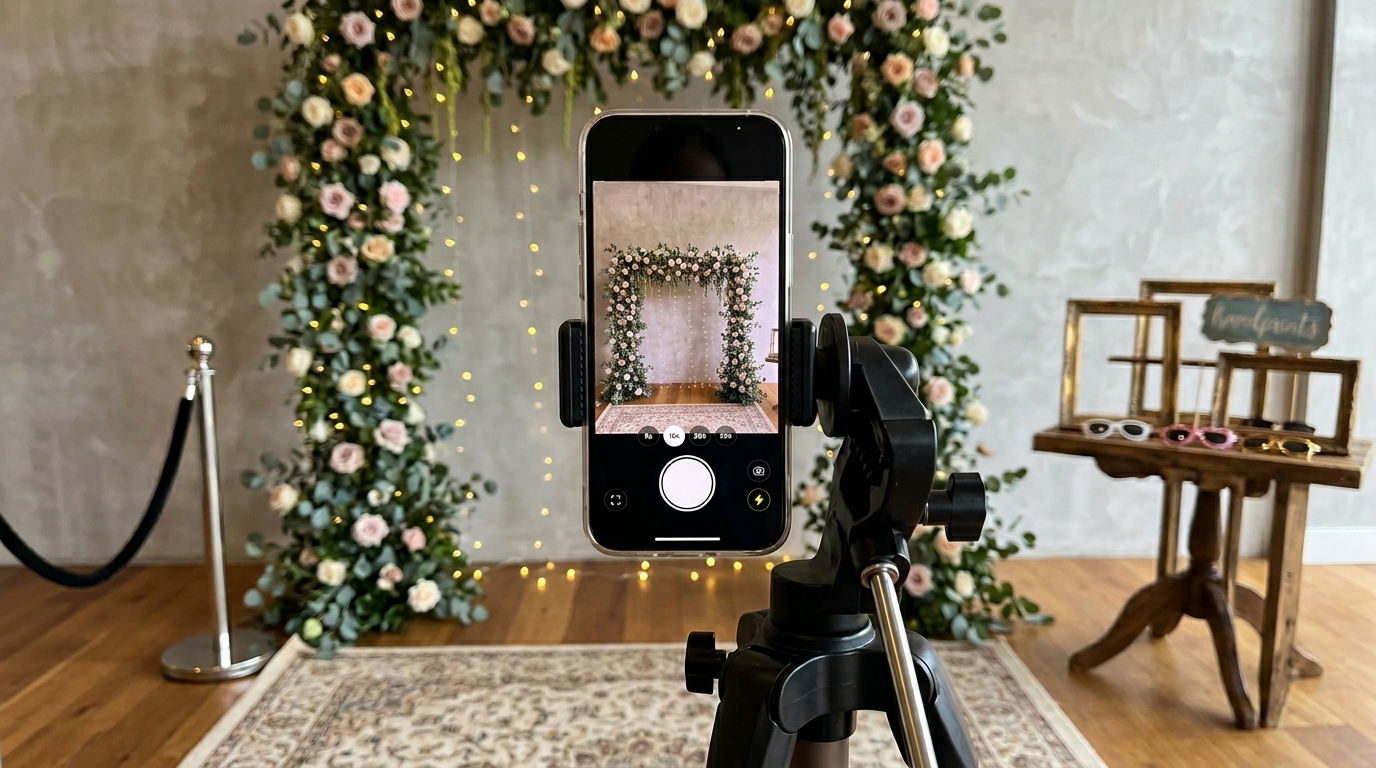
You don't need to rent expensive hardware to get a great photo booth. Use a spare phone or tablet, open your Photo Booth link, and you're ready to go. It supports both front and rear cameras, and the front camera shows a mirrored preview.
Quick setup
- Grab a spare phone or tablet and place it in a holder or on a tripod.
- Scan the Photo Booth QR code in the event dashboard under "Live features" to quickly open the page on that device. You can also go to eazy.photo/s/live and enter your live access code.
- Keep it plugged in or use a power bank so it runs all night.
- Place it near a backdrop, wall, or small prop corner.
- Make sure the phone or tablet sound is turned on, so guests can hear the countdown.
Why it works
It's affordable, quick to set up, and easy for guests to use. You get the same fun booth vibe - without extra hardware or technical hassle. Most importantly, Photo Booth doesn't cost extra with eazy.photo.
eazyAI - your AI event assistant
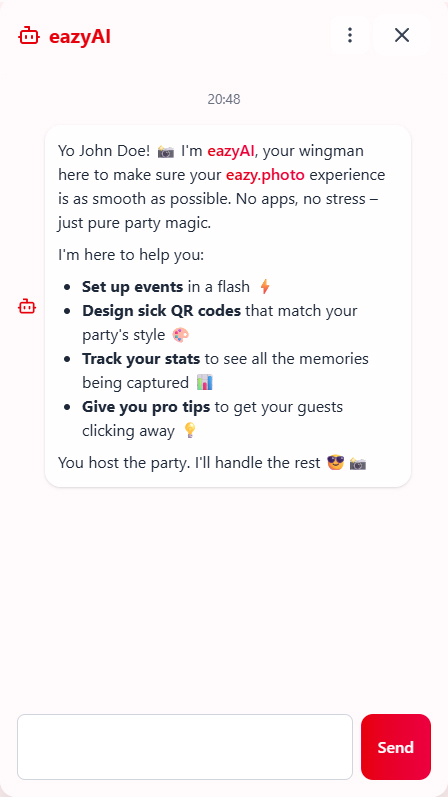
eazyAI is a built-in AI assistant that comes with every account. It lives in a chat panel in your dashboard and helps you create and manage your events - in your own language.
Create events in seconds
Just tell eazyAI the name and date of your event and it'll create it for you. It can suggest names, write descriptions and fix any spelling along the way.
Find your events
eazyAI can search your events so you can find what you need without digging through menus.
Design a QR card with AI
eazyAI can generate a print-ready QR card design from a simple description. Tell it the style, colours and paper size you want - it handles the rest. All Google Fonts are available, and designs are produced in CMYK colours ready for professional printing.
- Paper sizes: A4, A5, A6, A7 and more - pick whatever suits your tables or venue
- Refine as you go: Not happy with it? Ask eazyAI to tweak the colours, font or layout - it remembers what you've made
- Download as PDF: Once you're happy, download a print-ready PDF with the QR code embedded
Stats on demand
Ask eazyAI how your event is going - it can tell you the photo and video count, number of guests, and how much storage has been used.
Tips and advice
eazyAI knows the eazy.photo tips library and can give you practical advice for getting the most out of your event.
Your dashboard
Manage your events
Create and manage multiple events from your dashboard. Each event has its own settings, QR code, gallery and Live Wall. Schedule events in advance and eazy.photo will open and close them automatically.
Photos and videos
Browse all uploaded photos and videos in a clean gallery view. Download individual files or the whole collection as a ZIP archive in original quality.
Moderation
Reported photos are flagged for review by the eazy.photo team. Inappropriate or illegal photos can be removed to keep the gallery safe for everyone.
Stats
Get a quick overview at a glance: storage used, unique guests, photo count and video count - all in real time.
QR card wizard
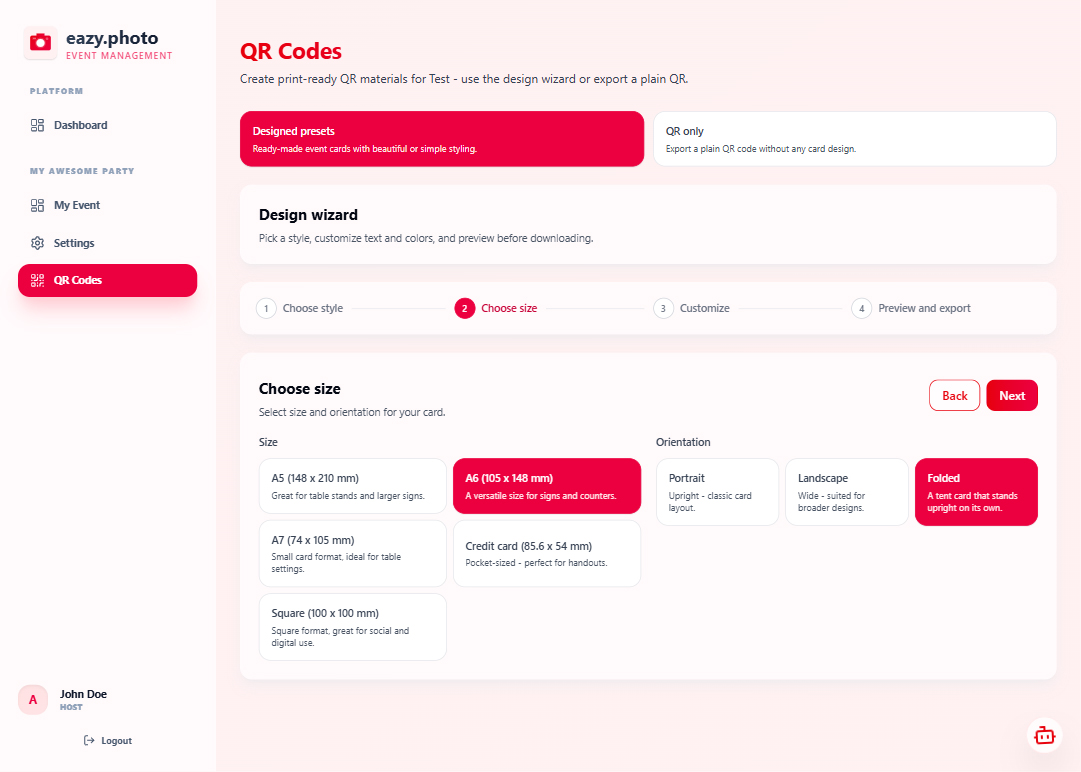
Not a designer? No problem. The step-by-step wizard takes you through event type, layout, colours and text, and ends with a print-ready PDF.
Settings per event
Tailor the experience for each event:
- Live Wall - turn the live photo wall on or off
- Guest gallery - let guests browse all uploaded photos
- Gallery uploads - camera only, or allow uploads from the gallery too
- Leaderboard - show or hide the top contributor ranking
- Video - allow or restrict video uploads
Kiosk mode
Put any screen into kiosk mode to show a full-screen grid of all event photos - great for a photo booth or as a send-off at the end of the night.
Solid and reliable
Storage and retention
Every event comes with a defined storage allowance and retention period. You can always see how much space is in use and when photos will be automatically removed.
Real time, every time
Everything on eazy.photo updates the moment it happens. Photo walls, counters and guest activity stay in sync across all devices - automatically, without anyone lifting a finger.