Photo greetings: the guest book people actually write in
A message written the moment the photo is taken beats a book lying on a table.
The physical guest book sits on a table by the door. Half the guests walk past it all evening. The ones who write usually write "congratulations" - because three people are waiting behind them, and because the book is the last thing you do before finding your seat.
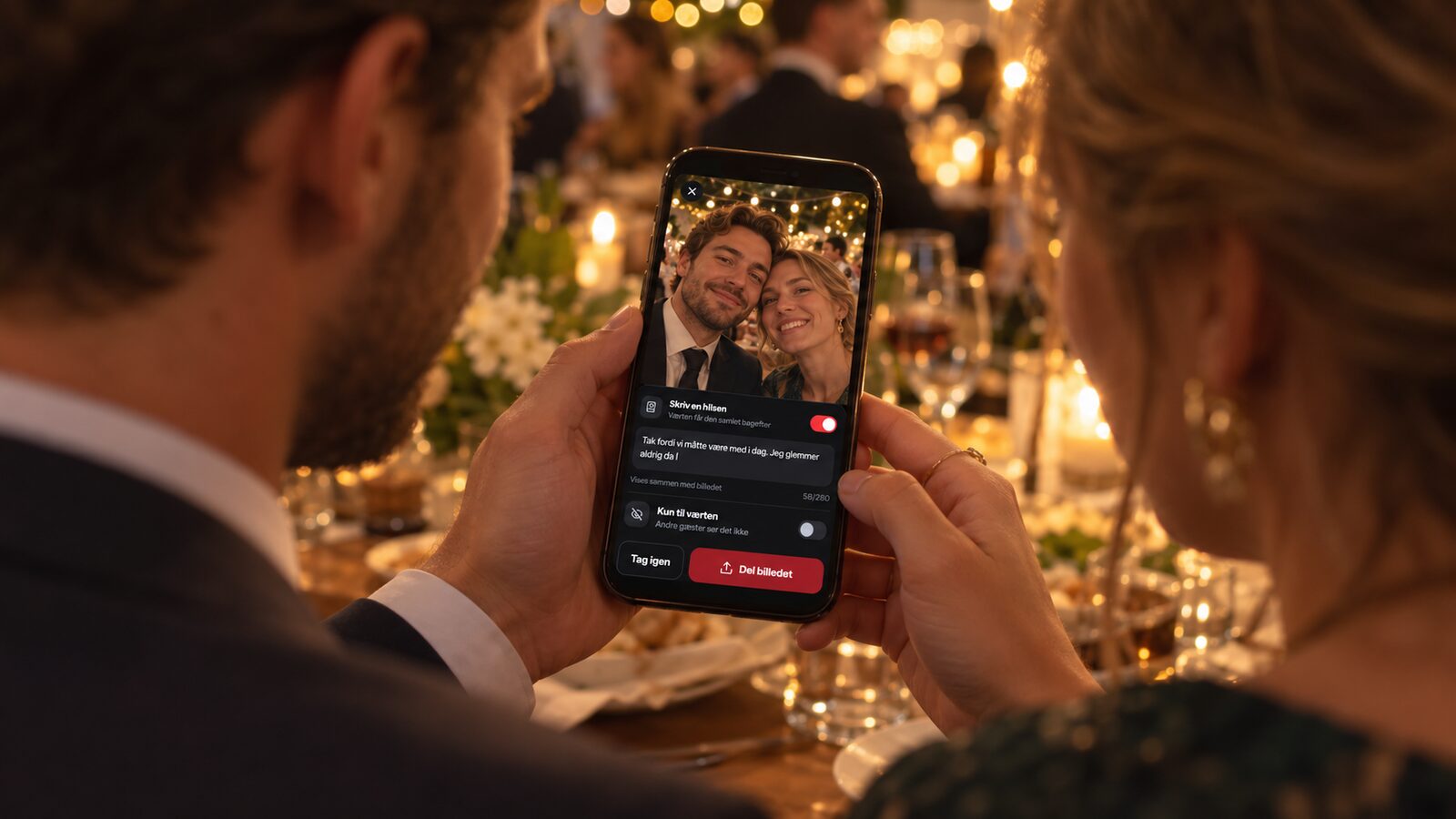
Photo greetings reverse the order. The guest already has their phone in hand and has just taken the photo. The message gets written while the feeling is still there.
How it works
When a guest shares a photo, they can attach a message to it. The photo and the greeting belong together afterwards - it is not a comment under a picture, it is one memory with two halves.
You find them collected on your own Photo greetings page, where you can read them in peace and move through them one at a time. And you can download them as a PDF with the pictures and the words together, ready to print or keep.
The PDF is what makes it a guest book rather than a comment field.
The setting that matters: to the hosts only
A guest can mark their greeting as private. You see it; the other guests do not.
That sounds small. It is not. People write something different when they know the next table is not reading along. That is where the personal messages come from - the ones that were not written to be shown on a screen.
Leave the option there. You get both the funny ones that can be shared and the real ones.
Getting people to use it
The feature fails quietly. Leave it off and nothing happens, and nobody finds out it existed. Turn it on without mentioning it and you get a handful.
Two things move it:
Say it out loud once. In the speech, in the welcome, or when you ask people to take photos. "Write a message with your photo - we will read every one of them afterwards." That one sentence is the difference between five greetings and fifty.
Put it on the table card. Wherever the QR code sits, there is room for one more line.
Pro tip: Ask for something specific. "Write a greeting" gets you "congratulations". "Write what you will remember from today" gets you something you can read again in ten years.
Guests can change their mind
A guest can always edit or delete their own greeting. That matters more than it sounds: people hold back if they think a typo becomes permanent. Once they know they can go back, they write more.
Afterwards
The greetings stay on your page when the party is over, and they come along in the PDF. Download it together with the photos - that is the file you will be holding in a year, not the gallery.
When the photos are deleted, and how to get everything out in time, is in the guide to the time after the party.
Read next
Inspired by these guides?
Start capturing memories at your own event today with eazy.photo.
Get Started