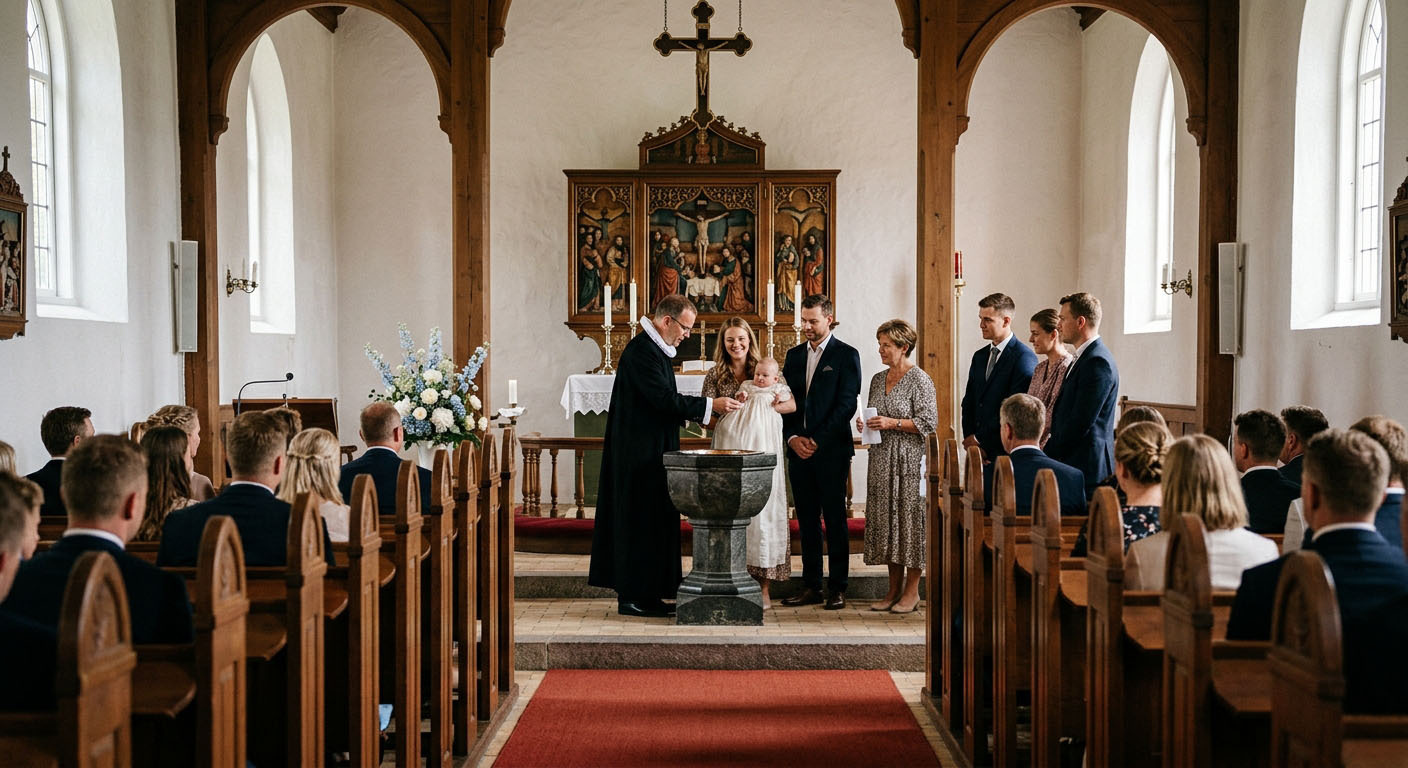
Baptisms: the photos someone will look for in twenty years
A small day with three generations in the room. How to collect the photos without turning the day into a photo project.
A baptism is one of the few parties where the guest of honour remembers none of it. Whatever the day becomes is whatever you keep.
And it is small. Thirty guests, three generations, a couple of hours in the church and lunch afterwards. It is rarely a day with a photographer, which is exactly why the photos end up spread across twenty phones where nobody ever finds them again.
The one decision that matters
Settle the photos before the day, not during it.
Ask people to send you their photos afterwards and you will get three. Not because they do not want to, but because a week passes and by then the camera roll is full of something else.
A shared gallery solves it, because it happens while they are standing there.
Agree it with the church first
It differs from church to church, and it is the priest who decides. Call and ask before you plan anything:
- Can photos be taken during the baptism itself?
- Is flash allowed?
- Is there a spot in the church people are welcome to stand in?
In a lot of places the answer is yes to photos and no to flash. In some the answer is that photos are fine before and after, but not at the font.
Say it out loud to the guests before you go in. That is easier than being the one shushing your father-in-law in the middle of a hymn.
Make it easy for the grandparents
This is the difference between a gallery with sixty photos and one with twelve.
Half the guests at a baptism are over sixty. They should not have to download an app or create an account. With eazy.photo they scan a QR code, type their name, and they are in.
Put a card on every table at lunch and one by the entrance. Write a line above the code saying what happens. Help the first two people along and the table handles the rest.
What the cards should look like and how big the codes need to be is in the QR code guide. For baptisms the designer has templates in girl, boy and neutral versions.
Let the guests write to the child
This is where a baptism differs from every other party: the greetings are for someone who has not been born yet. Not for you next week, but for a person in fifteen or twenty years.
Switch on photo greetings so guests can write a message alongside their photo. A greeting from a great-grandmother, written that day, with her face in the photo beside it, is a different thing from a signature in a book.
Ask for something specific when you mention it. "Write a greeting" gets you "congratulations". "Write something she can read when she turns eighteen" gets you something else entirely.
The greetings can be downloaded as a PDF afterwards. Print it and keep it with the certificate.
Decide what stays private
These are photos of a child, and the guests sharing them have not necessarily thought about that.
Two things are worth knowing:
- A guest can mark their photo as host only. You see it, the other guests do not, and it never appears on a screen in the room.
- You can switch the guest gallery off entirely. Guests still share their photos with you, but they cannot see each other's.
For a lot of families that second one is the right call for a baptism specifically. It is easy to turn off, and it can be turned back on.
The photos are deleted automatically once the retention period ends, by the way. What happens when is in the guide to the time after the party.
A screen at lunch, if you want one
If you gather in one room afterwards, you can put the photos up on the TV. It makes people take more of them, and it gives the guests who could not be at the church something to see.
For a baptism a calm display works better than a fast one. Setting it up is covered in the Live Wall guide.
The short version
A couple of hours with the camera in your pocket and a QR code on the table. That is enough. The day should not be about documenting the day.
If you want to read more about how a baptism gallery works, it is on our baptism page.
Read next

Inspired by these guides?
Start capturing memories at your own event today with eazy.photo.
Get Started